

 Microsoft Defender Vulnerability Management
 General
Tvm Software Inventory
In brief
The page no longer labels Microsoft Store applications as Preview or lists individual supported apps. It now states that vulnerability assessment is available for a limited set of commonly used Microsoft Store applications.
What Defender admins need to know
Administrators should use the updated description when assessing expected coverage for Microsoft Store applications. No action is required.
Summaries are generated from the documentation change itself.
Documentation change
 View on Microsoft Learn
The comparison below shows only the changed extract. Use the full-page view for complete context.
manager: bagol
description: The software inventory page for Microsoft Defender Vulnerability Management shows how many weaknesses and vulnerabilities were detected in software.
ms.service: defender-vuln-mgmt
ms.author: lwainsteinyaronyahav
author: limwainstein
ms.localizationpriority: medium
ms.collection:
- m365-security
- Tier1
ms.topic: article
ms.date: 2026-
08-26T00:10-14T00:00:00.0000000Z locale: en-us document_id: dcfe35dc-acbb-b948-8165-864982dba838 document_version_independent_id: dcfe35dc-acbb-b948-8165-864982dba838
Microsoft Store applications (Preview)
Defender Vulnerability Management reports vulnerabilities detected on applications installed via the Microsoft Store. CVE evidence for these applications includes the Microsoft Store tag along with a suggested query showing the vulnerable application, version, and file location.
You can manage application versions through the Microsoft Store. Don't directly access or manage app files via the file path in the WindowsApps directory, to prevent issues with the OS environment.
SupportedVulnerability assessment is currently available for a limited set of commonly used applications include:
- installed via the Microsoft
Teams Mozilla FirefoxWhatsAppSlackDropboxDuckDuckGoDell Command | UpdateHP SmartNVIDIA Control Panel1PasswordBeyond CompareEvernote
Software pages
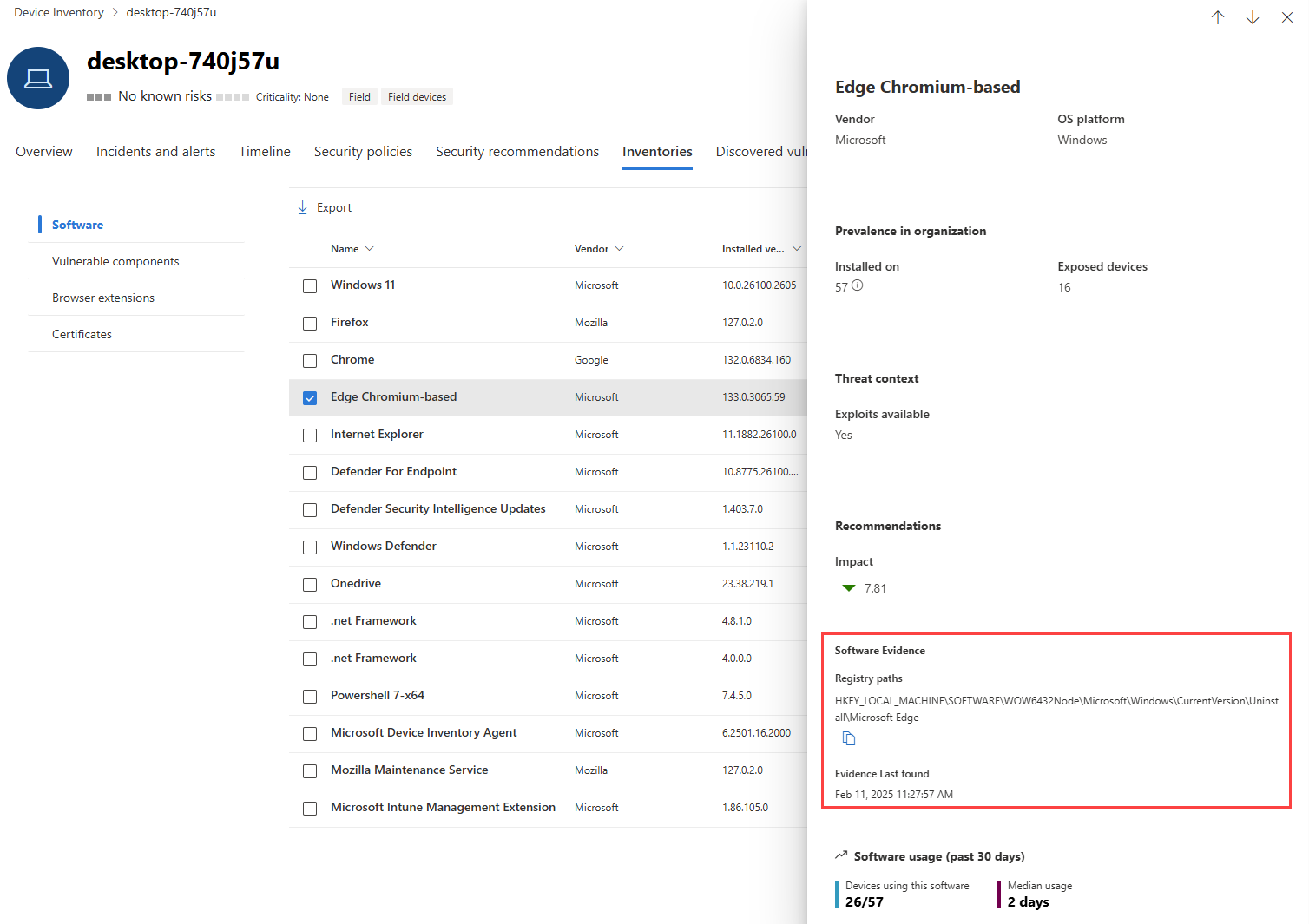
@@ -10,14 +10,14 @@ uhfHeaderId: MSDocsHeader-MicrosoftDefender manager: bagol description: The software inventory page for Microsoft Defender Vulnerability Management shows how many weaknesses and vulnerabilities were detected in software. ms.service: defender-vuln-mgmt-ms.author: lwainstein+ms.author: yaronyahav author: limwainstein ms.localizationpriority: medium ms.collection: - m365-security - Tier1 ms.topic: article-ms.date: 2026-08-26T00:00:00.0000000Z+ms.date: 2026-10-14T00:00:00.0000000Z locale: en-us document_id: dcfe35dc-acbb-b948-8165-864982dba838 document_version_independent_id: dcfe35dc-acbb-b948-8165-864982dba838@@ -121,7 +121,7 @@ Select a software name to open its flyout, and look for the section called **Sof
[](/en-us/defender/media/defender-vulnerability-management/tvm-sw-inventory-evidence.png#lightbox)
-### Microsoft Store applications (Preview)
+### Microsoft Store applications
Defender Vulnerability Management reports vulnerabilities detected on applications installed via the Microsoft Store. CVE evidence for these applications includes the **Microsoft Store** tag along with a suggested query showing the vulnerable application, version, and file location.
@@ -129,20 +129,7 @@ Note
You can manage application versions through the Microsoft Store. Don't directly access or manage app files via the file path in the WindowsApps directory, to prevent issues with the OS environment.
-Supported applications include:
-
-- Microsoft Teams
-- Mozilla Firefox
-- WhatsApp
-- Slack
-- Dropbox
-- DuckDuckGo
-- Dell Command | Update
-- HP Smart
-- NVIDIA Control Panel
-- 1Password
-- Beyond Compare
-- Evernote
+Vulnerability assessment is currently available for a limited set of commonly used applications installed via the Microsoft Store.
## Software pages